IP Blacklist Check Explained: What a Listing Means and When It Is Not Enough
An IP blacklist check answers a narrow question: has this address been reported for abuse by the lists that track it? That answer is useful, and it is easy to over-read. A listing on a shared mobile address can catch thousands of innocent users, and a clean result tells you nothing about whether the connection is an open proxy. This post explains what a blocklist check returns, how to read each part of the result, where it misleads, and how it fits into a wider review that your team controls.
What an IP Blacklist Check Is
Our IP blacklist checker describes the check as a security lookup that queries multiple independent databases to see whether an IP address has been reported for spam, malware distribution, or other malicious activity. Email providers, firewalls, and web services consult these lists before they let traffic through.
A note on terms: "blacklist" and "blocklist" describe the same thing, and both are in common use. Spamhaus, a blocklist operator, addresses the naming directly: "blacklists", "blackhole lists", and "blocklists" all name the same kind of list. We use "blocklist" below, the term our docs use.
Most of these lists are published through DNS, which is why they are often called DNSBLs. The IETF documents how they work in RFC 5782: a client looks up a name built from the IP address, and the answer says whether the address is listed.
What the Result Contains
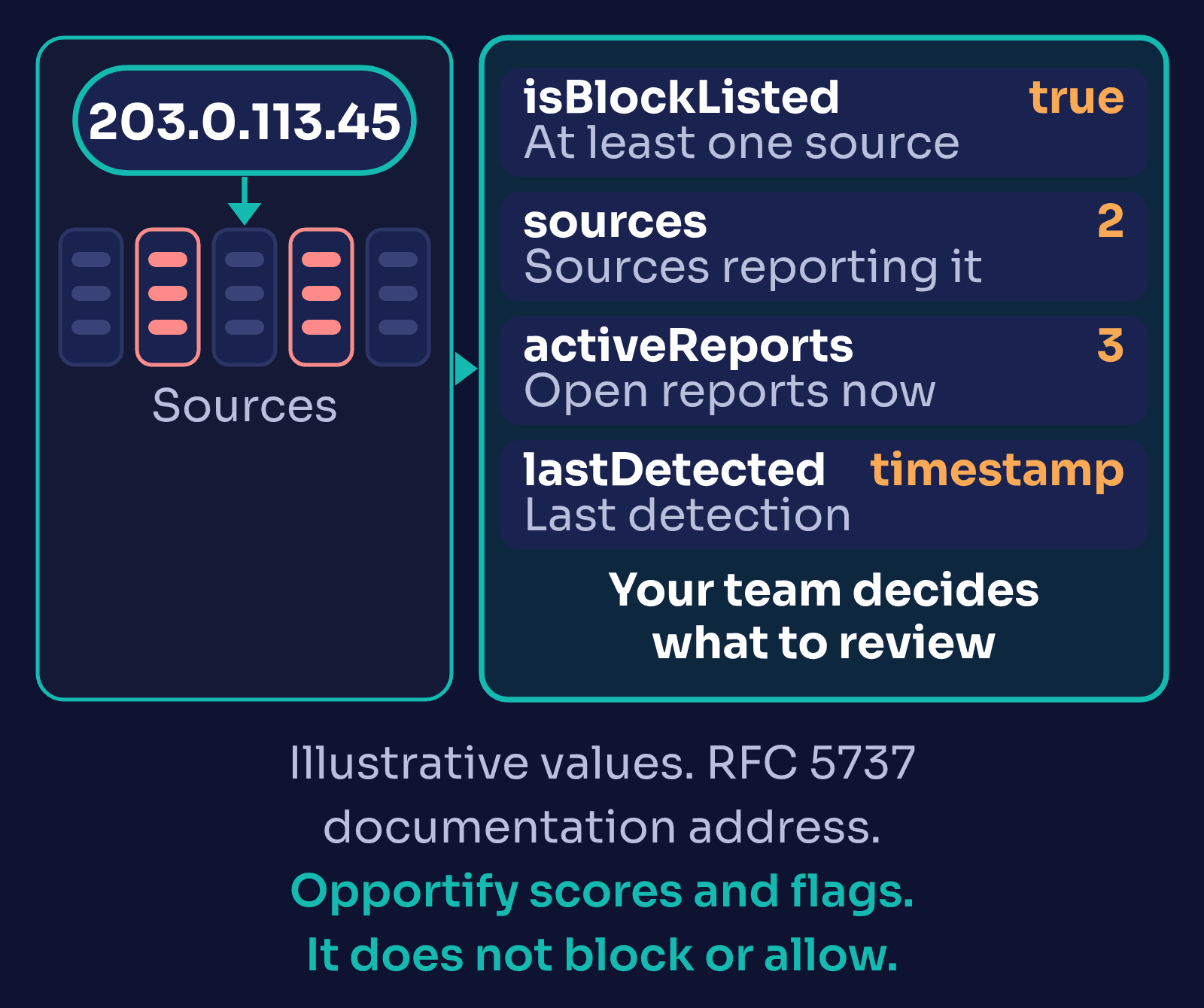
An Opportify blocklist result comes back in the blocklisted object of the Analyze IP response. The API reference documents four fields:
isBlockListed: whether the IP is listed in some of the known blocklist sources.sources: the number of blocklist sources that report it.activeReports: the number of active reports for the address. The reference notes this value is updated as new reports are detected or resolved.lastDetected: the date and time of the most recent detection, in ISO 8601 format. It is optional, so it may be absent when there is no detection to report.
The reference also says coverage is not fixed: sources are monitored continuously, and more blocklist data providers are being added over time. That is why we describe the result by its fields, not by a count of lists. The assessed signals page groups the same data under "Blocklist & Reputation", and when it raises risk, the Explainable Risk Report can surface the factors ip-blocklisted and active-abuse-reports.
How to Read a Listing
The four fields tell different stories, so read them together.
- Listed or not is the headline, not the story.
isBlockListed: truemeans at least one source reports the address. It does not tell you how serious or how recent the problem is. - More sources is a stronger signal. The blacklist checker page notes that each list monitors traffic differently, so an IP can appear on one list but not others, and the more lists it appears on, the worse its reputation.
- Active reports point to the present. Because
activeReportschanges as reports are detected or resolved, a listing with active reports describes current activity better than a listing with none. - Recency matters.
lastDetectedtells you whether you are looking at yesterday's problem or last year's.
None of these fields decides anything on its own. They tell a reviewer how closely to look.
Where a Blocklist Check Misleads
A blocklist describes an address. It does not see the person using it, and it does not describe the connection.
Shared and carrier addresses
Many people can share one public IP. Mobile carriers and some internet providers use carrier-grade NAT, which maps many subscribers to a shared pool of addresses (RFC 6888). The IETF's review of address sharing (RFC 6269) notes the consequence: when one user of a shared address misbehaves, the address's reputation can suffer for everyone else on it. The blacklist checker FAQ makes the same point about shared hosting, where another customer on the same server can cause the listing. This is why mobile-network appears as a separate risk factor on the assessed signals page, not as a verdict.
A clean result is not a pass
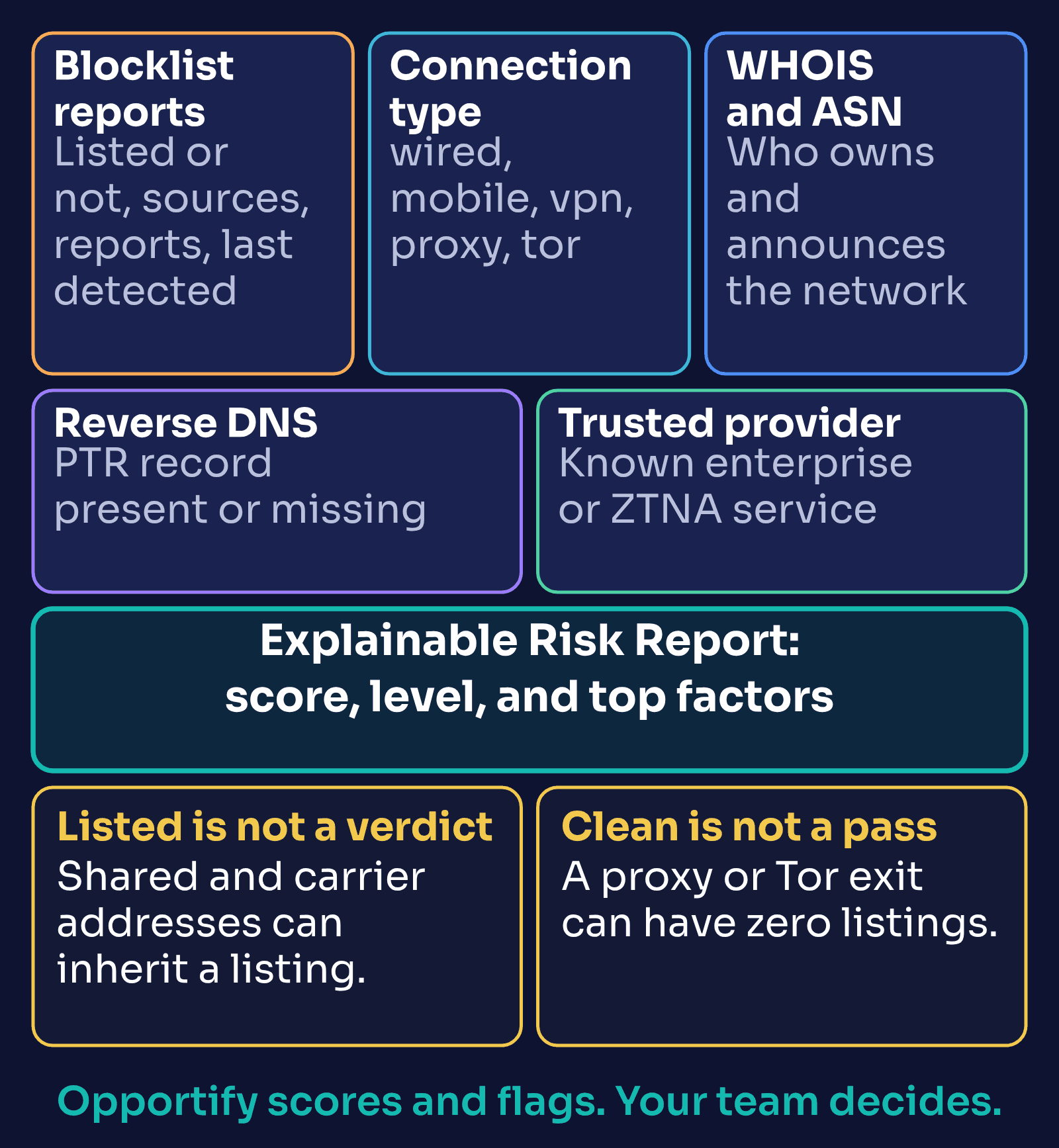
Blocklist presence and connection type are separate signals. The assessed signals page lists tor-exit-node, open-proxy, and vpn as their own risk factors, apart from ip-blocklisted. An open proxy with no listings is still an open proxy. Our post on what an IP reputation check tells you shows how these inputs combine, and our guide to VPN, proxy, and Tor detection for legitimate users covers how to treat anonymizing connections fairly.
One input among several
A blocklist result sits next to connection type, WHOIS and ASN, reverse DNS, and trusted provider recognition in the same Analyze IP response. The Fraud Protection API implementation guide treats network signals as context rather than a verdict, and suggests acting on them only when the overall risk level is high or highest.
An Illustrative Worked Example
The following example is illustrative. The IP addresses come from the documentation ranges reserved by RFC 5737, and the values are invented to show how a reviewer reads a result. They are not real lookups.
Two logins arrive a few minutes apart.
- Login A comes from
192.0.2.10. It is not blocklisted (isBlockListed: false,sources: 0,activeReports: 0), but the connection type isopen-proxy, and the report shows theopen-proxyfactor. - Login B comes from
198.51.100.73. It is blocklisted by one source with no active reports, and the connection type ismobile. The report showsip-blocklisted,single-blocklist-source, andmobile-network.
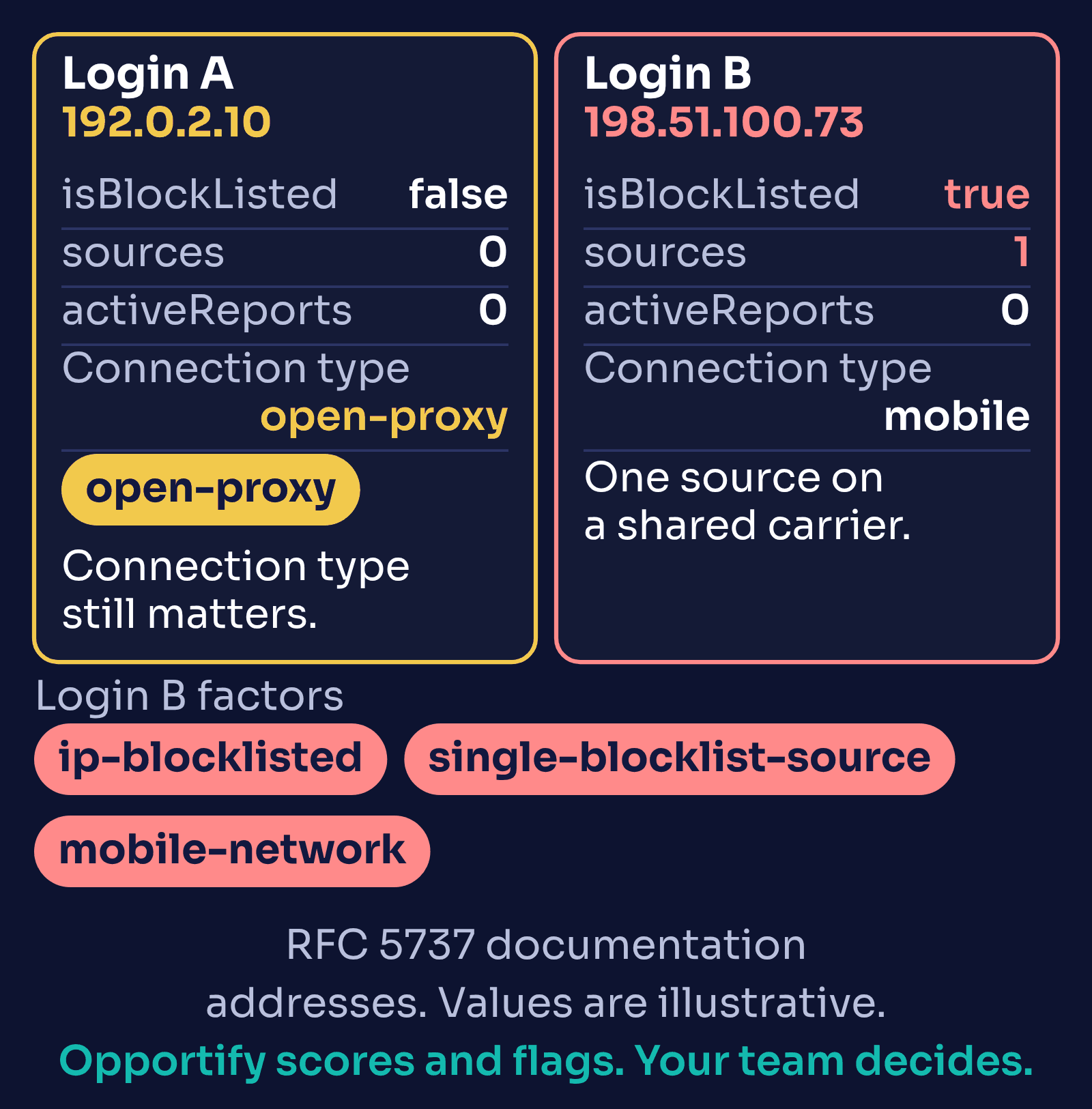
A blocklist check alone would flag Login B and wave through Login A. A reviewer who reads the full report sees something closer to the opposite. Login A is on an open proxy, which is worth a closer look whatever the blocklists say. Login B is a single listing on a shared carrier address, where the listing may well belong to someone else. Your team's policy decides the next step for each, such as normal flow, an extra verification step, or a review queue.
Opportify scores and flags both logins. Your team decides what happens to each.
If the Listed IP Is Your Own
Sometimes the listed address belongs to your own mail server, office network, or cloud instance. The IP blacklist checker outlines a sequence: find the root cause (such as a compromised server, an open relay, or malware), fix it, request removal from each blocklist provider individually, and keep monitoring afterwards. The page also notes that providers will not remove an address that is still misbehaving, so fixing the cause comes first. Each provider runs its own removal process and timeline.
Key Takeaways
- An IP blacklist check asks whether independent blocklists report an address. "Blacklist" and "blocklist" mean the same thing.
- The documented result has three core fields,
isBlockListed,sources, andactiveReports, plus an optionallastDetectedtimestamp. Read them together. - More sources, active reports, and recent detections make a listing more meaningful. A single, old listing on a shared address means much less.
- A clean result is not a pass. Connection type, network ownership, and other signals still matter.
- Opportify scores and flags. Your team decides.
Check an IP Now
Run any address through the free IP blacklist checker to see its blocklist status, or use the free IP reputation checker for the wider picture. When you are ready to check IPs inside your own sign-up, login, or checkout flows, explore IP Insights and see pricing for plan details. Developers can follow our guide to integrating IP Insights with Node.js.